

Ask Advisor in Google Analytics Now Benchmarks Campaign Performance
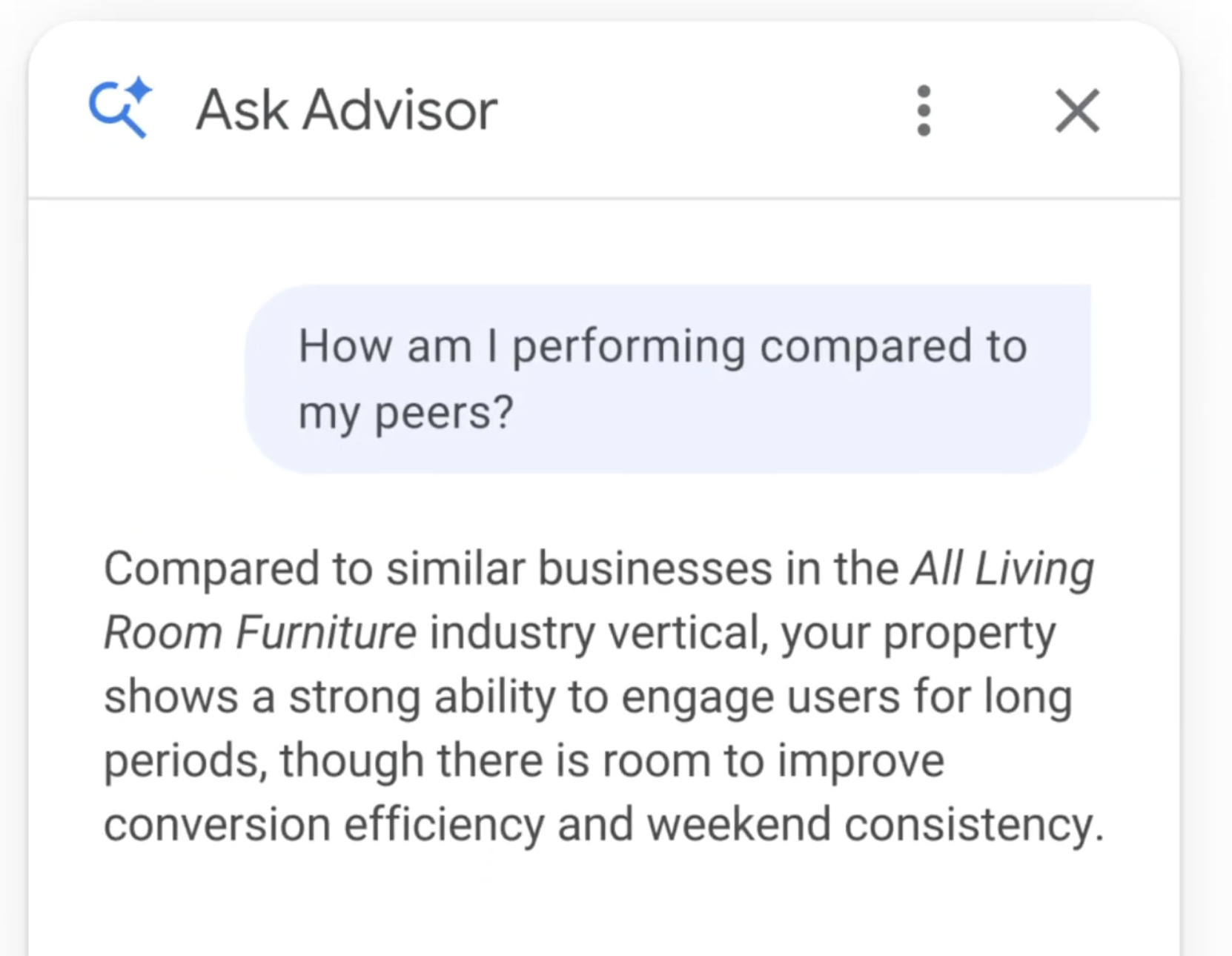
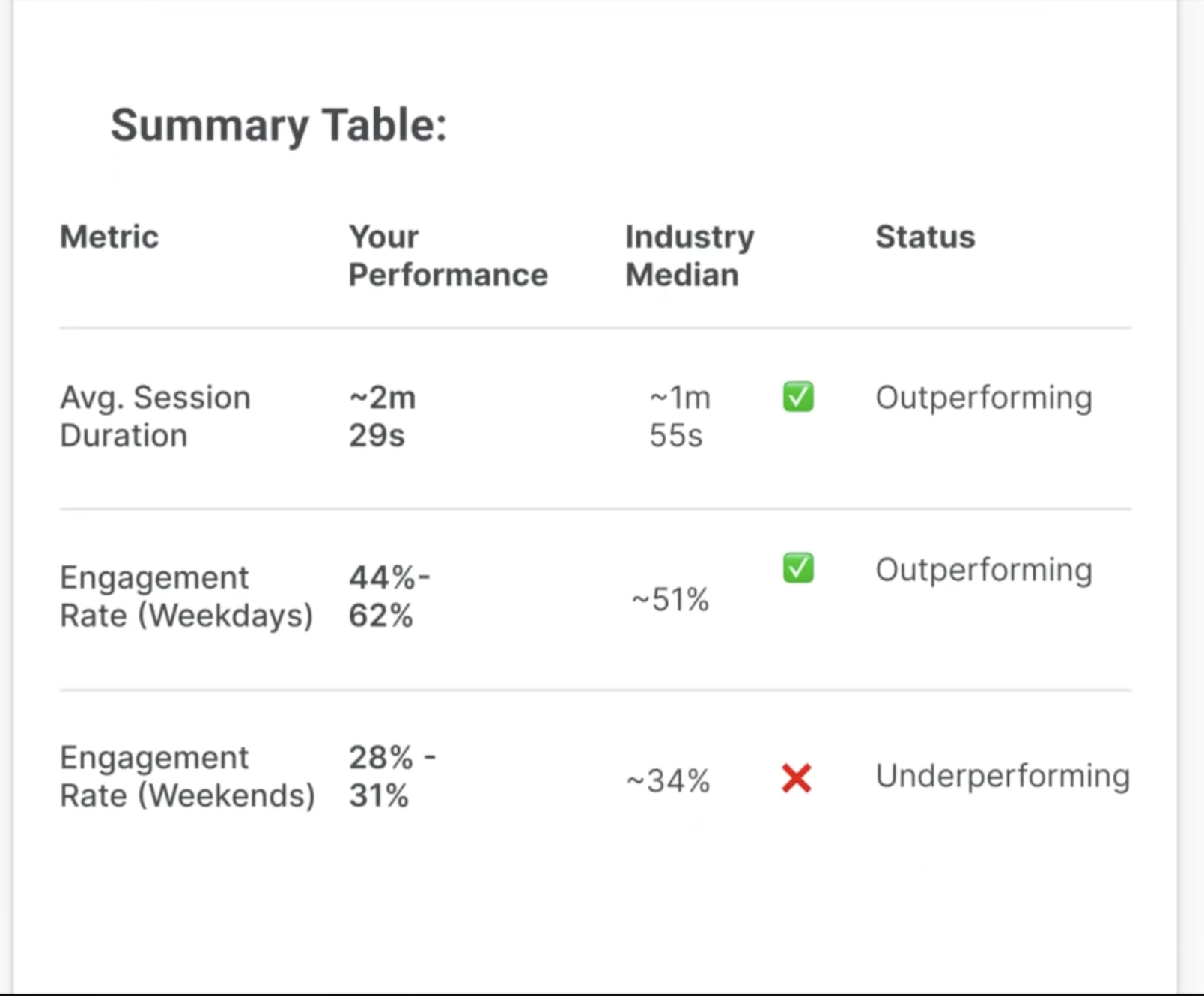
Google announced a new Ask Advisor feature that compares your Google Analytics campaign performance against anonymized averages from similar businesses. The tool helps you determine whether your campaign metrics are typical for your industry.
Josh Moser, Senior Director of Product Management, shared the news in a blog post highlighting it among several updates across Google Ads and Google Analytics.
The feature runs through Ask Advisor, the cross-product tool Google introduced at Google Marketing Live in May.
How the Benchmark Works
The comparison uses anonymized averages from similar businesses. It runs through Ask Advisor, the agent Google introduced at Google Marketing Live in May to work across Google Ads, Analytics, Merchant Center and Google Marketing Platform. Google currently offers Ask Advisor in beta for English-language accounts.
You can ask how your campaigns are performing in plain language and receive a response like the example below:
Google’s documentation states that benchmarking reports the median and the 25th and 75th percentiles for a peer group of businesses in your industry category across the Acquisition, Engagement, Monetization and Retention reports and the Home page overview.
Peer Group and Prerequisites
Your property needs Modeling contributions & business insights turned on in Admin. Your peer group comes from the industry category chosen at setup plus signals from your URLs and app attributes.
You can change that peer group, as Google offers 25 top-level categories with subcategories beneath each one, down to a level like athletic shoes.
The announcement doesn’t say whether the Ask Advisor benchmark uses that peer group or builds its own. It also doesn’t say whether the Modeling contributions setting gates it the way it gates existing benchmarking.
Why Your Peer Group Matters
A benchmark is only useful if the businesses in it look like yours. Analytics builds your default peer group from the industry category set when the property was created, along with signals from your URLs and app attributes. You can change the peer group in Analytics.
Check your current peer group before the comparison arrives. Google’s Merchant Center reporting doesn’t give you that control, as I covered when the pilot opened in July.
Other Updates in the Announcement
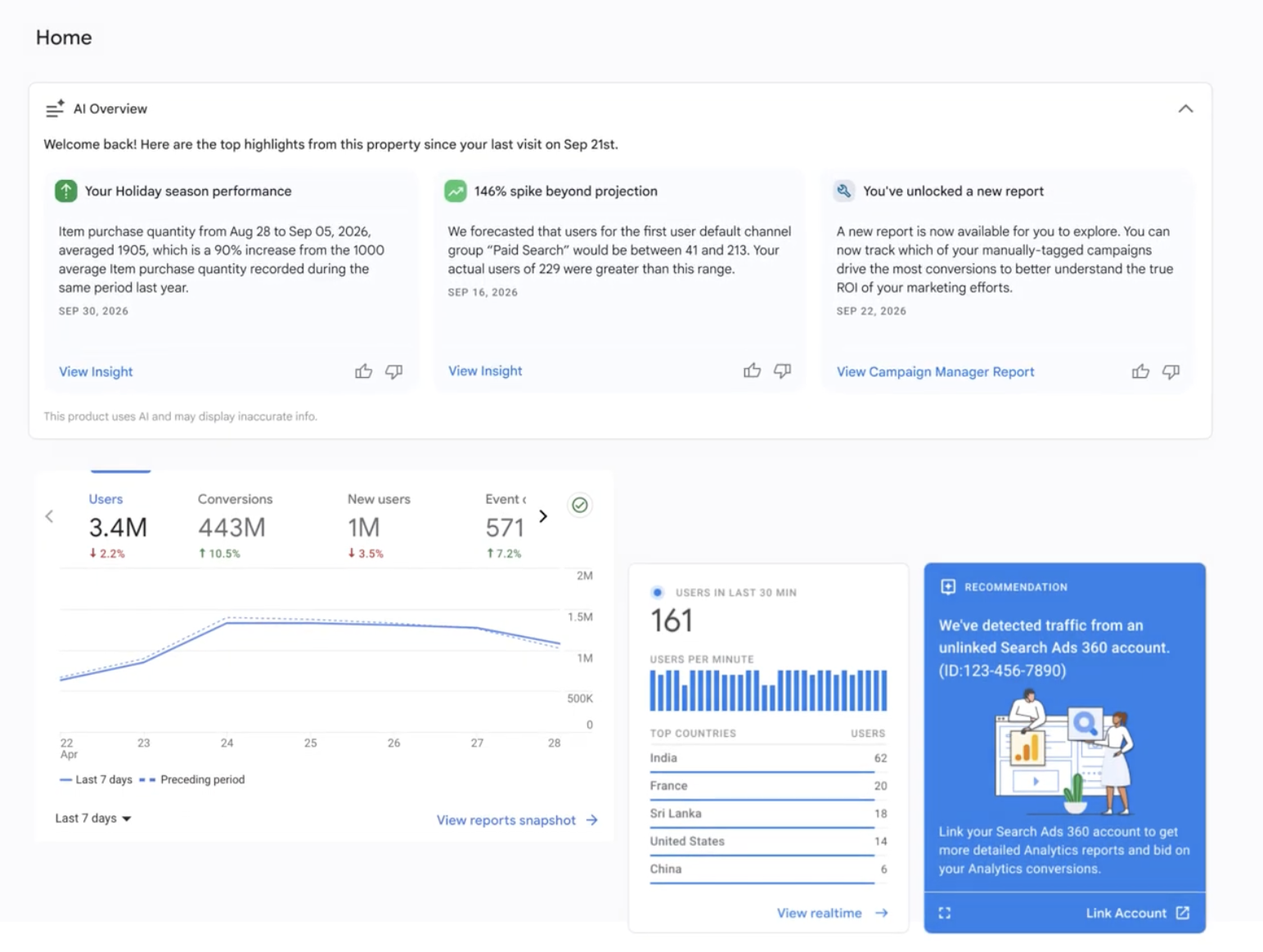
Google Analytics now shows what the company calls ‘AI Overviews’ at the top of the page, summarizing what changed since your last login. These are Analytics summaries, not the AI Overviews that appear in Search results. You can opt into notifications by phone or email and set how often they arrive.
Here’s an example of how that will look:
Additionally, the company announced Google Ads is getting insights cards personalized to your business, plus a new Dashboards feature that builds charts from text prompts. Dashboards is coming to Google Analytics without a date. Google marks Ask Advisor, the Ads insights cards, and Dashboards as available in beta for English-language accounts.
Availability Timeline
Google didn’t say when the benchmark reaches accounts or how Ask Advisor will present the comparison.
Featured Image: FotoField/Shutterstock