Learn how to build a Python AI agent with the OpenAI Agents SDK, using tool calling and function tools to automate multi-step workflows.
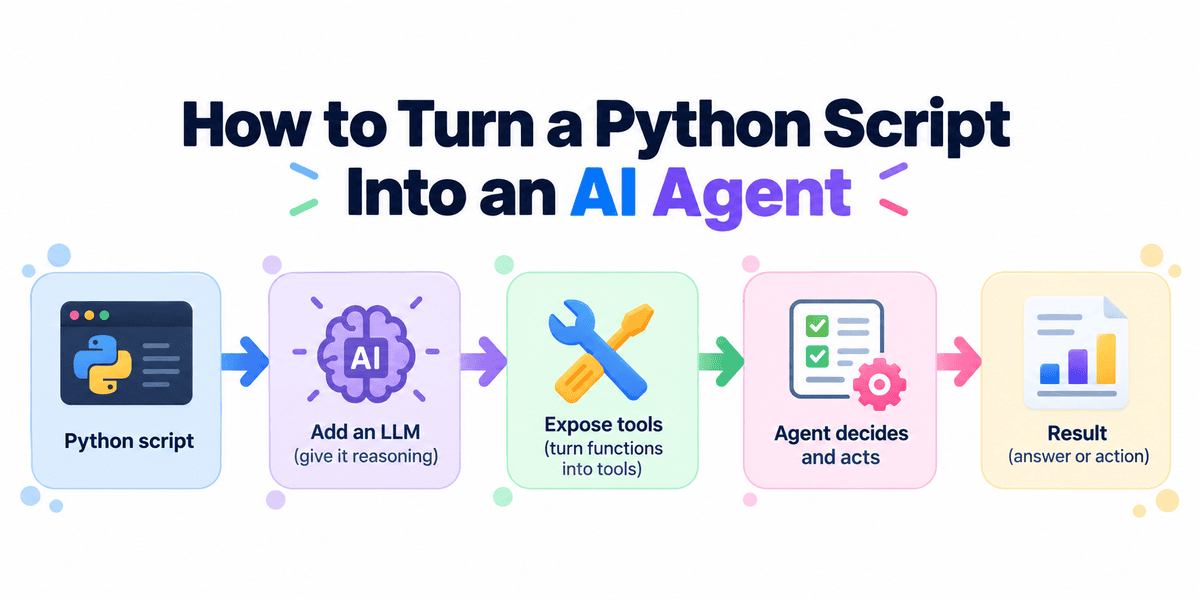
You don’t have to rewrite your Python applications to start using AI agents.
If your script already contains useful functions, you can expose those functions as tools and let an LLM decide when to call them, what arguments to provide, and how to use their outputs.
This tutorial takes a simple website-monitoring script and turns it into an AI agent using the OpenAI Agents SDK.
Start With a Normal Python Script
Before building an AI agent, it helps to start with a normal Python program.
Suppose you want to check whether a website is responding and measure how long the request takes:
from time import perf_counter

import requests


def check_website(url: str) -> str:
    start = perf_counter()

    try:
        response = requests.get(url, timeout=10)
        latency = perf_counter() - start

        return (
            f"{url}n"
            f"Status: {response.status_code}n"
            f"Response time: {latency:.2f}s"
        )

    except requests.RequestException as error:
        return f"{url}nError: {error}"


print(check_website("https://www.python.org"))
Output:
https://www.python.org
Status: 200
Response time: 0.99s
The script does exactly what you programmed it to do: send an HTTP request, collect the status code, measure the response time, and return the result.
That’s useful, but the workflow is fixed:
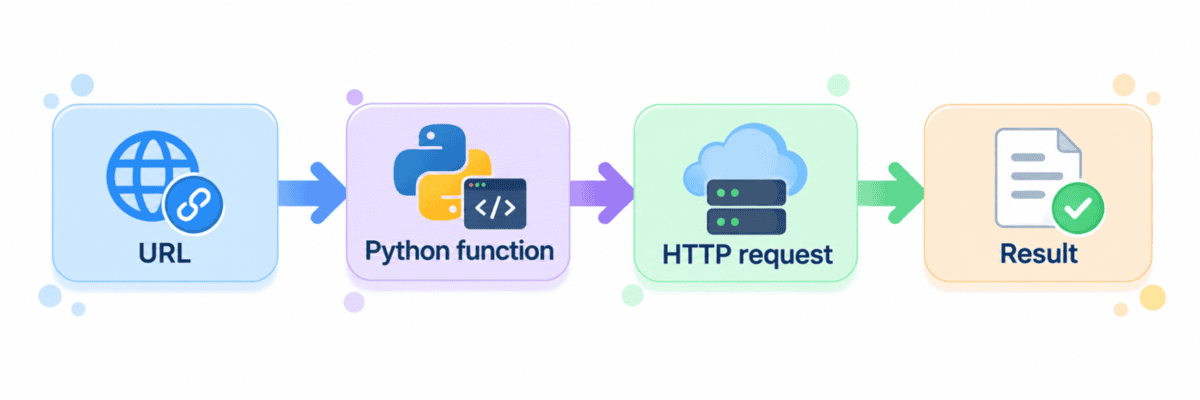
If you want to check five websites, compare their response times, or determine which one appears unhealthy, you need to write that logic yourself.
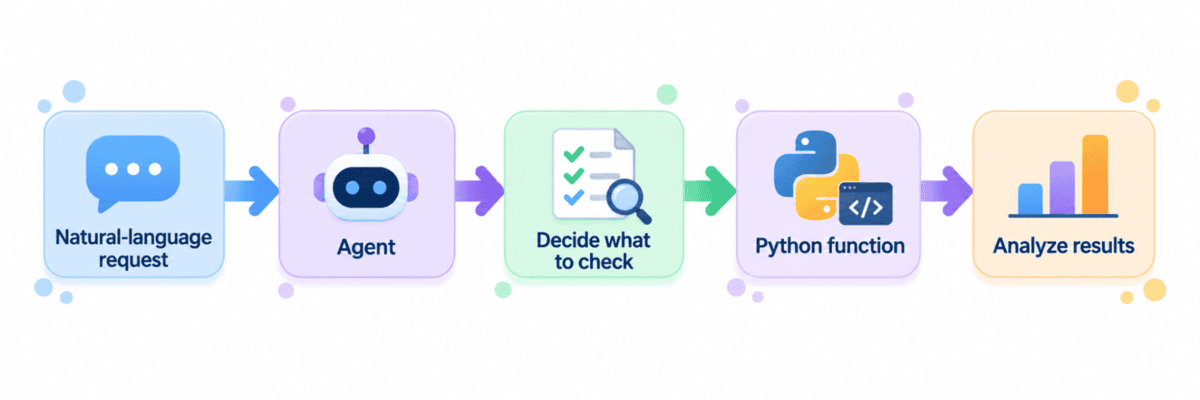
This is where an AI agent changes the workflow.
Instead of encoding every decision in Python, you can expose check_website() as a tool and give an AI model a goal. The model can then decide when to call the tool, which URL to check, how many times to use it, and what to do with the results.
Step 1: Install the Agents SDK
First, set up a Python project and install the packages needed to build and run the agent.
Create a new project:
mkdir website-agent
cd website-agent

uv init
uv add openai-agents requests
Or use pip:
pip install openai-agents requestsSet your OpenAI API key:
export OPENAI_API_KEY="your-api-key"The Agents SDK provides a lightweight runtime for agents, tools, handoffs, sessions, and tracing.
Step 2: Turn the Python Function Into a Tool
Next, expose your existing Python function as a tool the model can choose to call.
You can keep almost all of the function.
The main change is adding @function_tool:
from time import perf_counter

import requests
from agents import function_tool


@function_tool
def check_website(url: str) -> str:
   """Check a website's HTTP status and response time."""

   start = perf_counter()

   try:
       response = requests.get(url, timeout=10)
       latency = perf_counter() - start

       return (
           f"URL: {url}n"
           f"Status: {response.status_code}n"
           f"Response time: {latency:.2f}s"
       )

   except requests.RequestException as error:
       return f"URL: {url}nError: {error}"
The OpenAI Agents SDK automatically converts the function signature into the JSON schema required by the model. It also uses the function name and docstring to describe the tool.
You don’t need to create a tool schema manually.
Step 3: Create the Agent
Now create an Agent, define what it should do, and give it access to the check_website() tool.
from agents import Agent, Runner

agent = Agent(
   name="Website Monitor",
   model="gpt-5.6-luna",
   instructions="""
   Monitor websites using the available tool.
   Compare results and explain problems clearly.
   """,
   tools=[check_website],
)
Run the agent:
result = Runner.run_sync(
   agent,
   "Check python.org, github.com, and openai.com. "
   "Which one has the slowest response?"
)

print(result.final_output)
Output:
python.org is the slowest, responding in **1.59 seconds**.

- github.com: 0.83s
- openai.com: 0.49s

All returned HTTP 200.
Previously, you would have needed to write the loop and comparison logic yourself:
for url in urls:
    check_website(url)
Now the model interprets the request, calls check_website() for the three websites, receives the results, compares them, and produces the answer.
How the Agent Loop Works
Behind the scenes, the Runner manages the interaction between the model and the tools.
Conceptually, the loop looks like this:
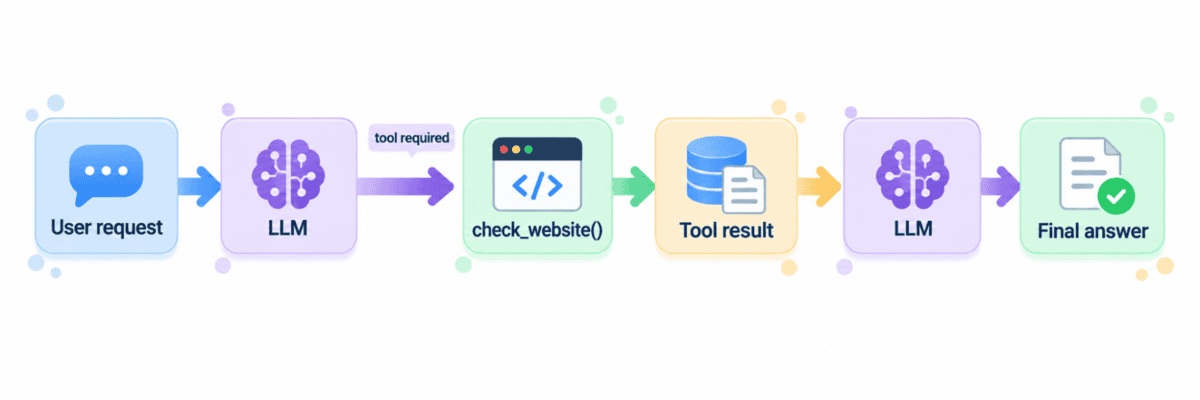
If the model needs more information, it can call the tool again. The loop continues until it has enough information to produce a final response.
This is what makes the workflow agentic. Instead of following a fixed sequence written entirely in Python, the model decides which actions to take based on the request and the results it receives.
Other Python Scripts You Can Turn Into Agents
The same pattern works with almost any existing Python automation. You keep the Python functions that do the actual work and let the agent decide which functions to call and how to combine the results.
For example:
- CSV analyzer: Functions filter rows, calculate metrics, and find trends. The agent answers natural-language questions about the data.
- Server monitor: Functions check CPU, memory, disk, and processes. The agent investigates why a server looks unhealthy.
- Log analyzer: Functions search logs, count errors, and extract events. The agent investigates incidents and summarizes what happened.
- API automation: Functions fetch data, update records, or create reports. The agent decides which operations are needed and in what order.
With the OpenAI Agents SDK, you can expose existing Python functions with @function_tool and add them to the agent’s tools list.
The Python code still performs the work; the agent adds natural-language understanding, tool selection, and orchestration.
Final Thoughts
Agentic AI is becoming a practical way to automate workflows, with more companies using agents to handle multi-step tasks instead of relying on fixed scripts.
At the same time, cheaper models such as GPT-5.6 Luna make it much more affordable to run tool-using and even multi-agent systems at scale.
This guide started with a normal Python function, turned it into a tool, connected it to an agent, and let the Runner manage the decision-making loop.
That’s the core idea behind agentic applications: give the model a goal and the right tools, then let it decide how to complete the task.
Abid Ali Awan (@1abidaliawan) is a certified data scientist professional who loves building machine learning models. Currently, he is focusing on content creation and writing technical blogs on machine learning and data science technologies. Abid holds a Master’s degree in technology management and a bachelor’s degree in telecommunication engineering. His vision is to build an AI product using a graph neural network for students struggling with mental illness.

Get the FREE ebook ‘KDnuggets Artificial Intelligence Pocket Dictionary’ along with the leading newsletter on Data Science, Machine Learning, AI & Analytics straight to your inbox.
By subscribing you accept KDnuggets Privacy Policy