

ChatGPT has become a meaningful traffic source. Its volume rarely stands out in a standard Google Analytics 4 overview, but visitors arriving from ChatGPT often engage more deeply than those from organic search.
Those observations come from my work optimizing client sites for AI answers.
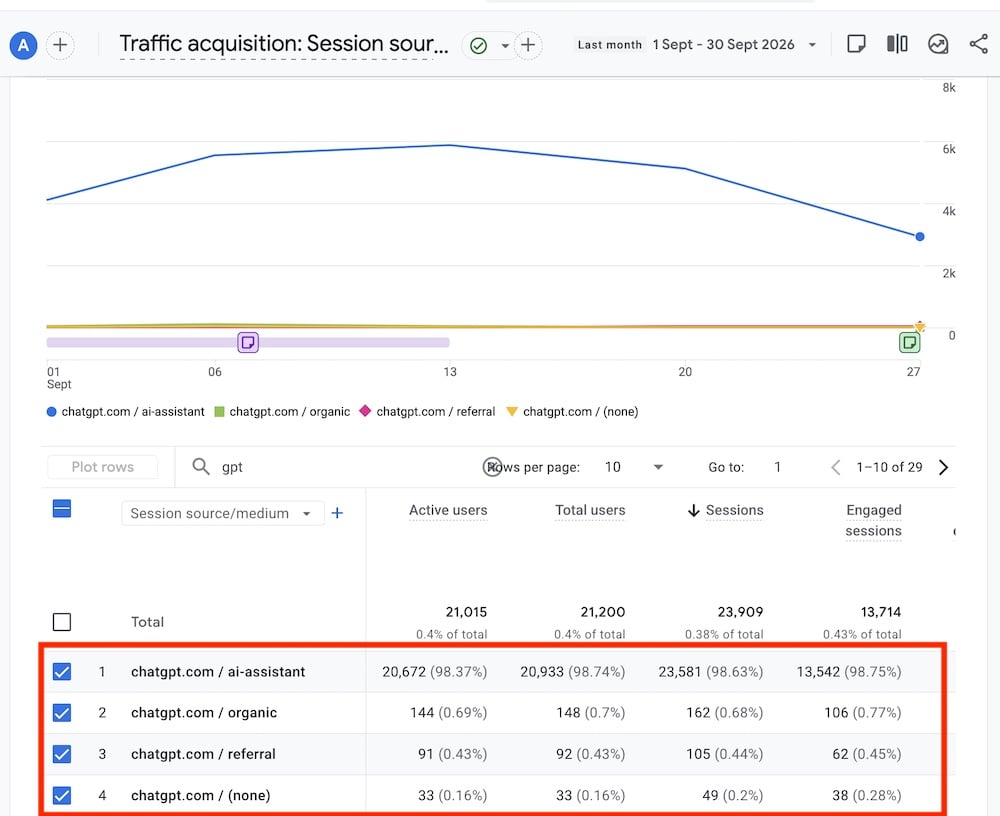
ChatGPT traffic is often the most engaging. Click image to enlarge.
I’m not aware of studies that explain why ChatGPT referrals perform so well, but two explanations seem plausible:
- Like organic search, ChatGPT answers problems and occasionally links to external sources for more detail.
- The conversational format resembles a human exchange, which can make generative AI results feel more trustworthy.
That pattern could shift as genAI tools go mainstream. For now, tracking AI traffic is essential.
Track ChatGPT Referrals
In Google Analytics 4:
- Go to Acquisition > Traffic acquisition,
- Below the graph in the drop-down, choose “Session source / Medium,”
- In the “Search” field, type “gpt” and click “Enter” to filter session sources.
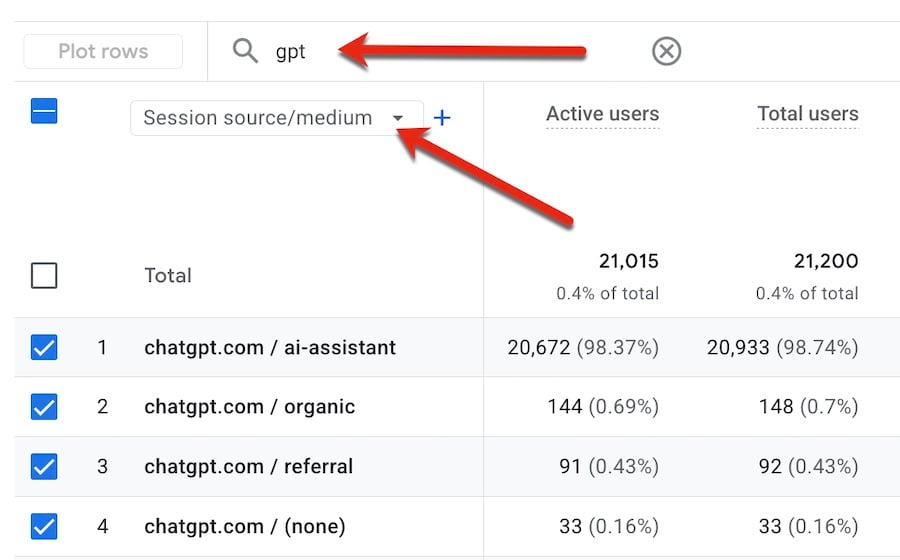
In GA4, go to Acquisition > Traffic acquisition. Click image to enlarge.
Once you’ve filtered the data, build custom reports so you can return to it quickly.
ChatGPT doesn’t reveal the prompts users typed, but the landing pages they visit offer clues. Each page typically solves a specific problem, so the prompt likely requested that solution.
Analyze ChatGPT Referrals
In GA4:
- Go to Engagement > Landing Pages,
- Click “Add filter” below “Landing page,”
- Select “Session source / Medium,”
- Select “Contains” and type “gpt”
- Click “Apply”

Build a “gpt” traffic source filter in GA4. Click image to enlarge.
This filters traffic sources to those containing “gpt” and sorts landing pages by the number of clicks from ChatGPT.
The report reveals which pages ChatGPT cites to solve relevant problems. To understand the context, ask ChatGPT directly, for example:
This is my URL: [URL]. What prompts would trigger ChatGPT to cite the page as a solution?
It also helps to examine those pages in other tools:
- In Search Console, find the “possible” AI Mode prompts that surface the page,
- In Bing Webmaster Tools, identify the grounding queries LLMs use to find that page.
Direct and Unassigned Channels
Google Analytics misclassifies some ChatGPT traffic as either Direct or Unassigned because ChatGPT frequently adds a “noreferrer” attribute to external links. That attribute hides the referral for privacy reasons, which leads GA4 to attribute the visit incorrectly.
This affects most of my clients. GA4 assigns their growing ChatGPT traffic as Unassigned.
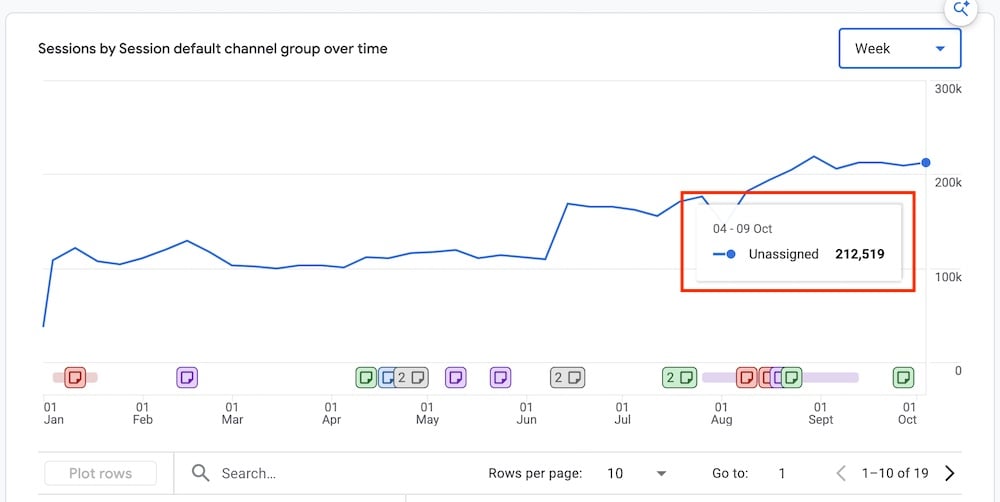
Unassigned traffic in GA4 is growing in this example. Click image to enlarge.